For buildings, facilities teams and contractors
Permits to work, without the paperwork.
Allocate Work turns your permit-to-work, attendance and maintenance forms into digital workflows, with approvals, PDF records and a clear audit trail. Management, staff and vendors all work in the same app.
Start with one form. Add workflows when you need them.
A diagram of a permit to work moving through six steps:
- Apply. The tenant applies for a permit, and the contractor adds the activity-based risk assessment.
- FM approves. Facilities management reviews and signs from a notification.
- Landlord approves. A letter of no objection is generated, and the landlord signs to approve.
- Permit issued. The permit to work is generated and sent to the tenant and FM.
- Work complete. When the job is done, the contractor submits the work complete form.
- Closed and filed. FM gives final approval, and the work complete report is filed for audit.
If a step is rejected, it goes back to be corrected and resubmitted.
Trusted by teams at


Permit to work is still a paper chase.
Forms are filled in by hand, sent over WhatsApp and email, and chased for signatures. When the audit comes, the paperwork can't be found.
Many separate forms, reports and permits, filled in by hand → 1 workflow that handles them all.

Urgent works wait.
Approvals stall in inboxes and chats, so works are delayed and costs rise.

No status, no audit trail.
Nobody can see where a permit is, who signed it or when it expires.

Contractor paperwork holds up permits.
Every permit needs the contractor's risk assessment and the right sign-offs, and chasing them takes time.

Proof is scattered.
Photos, signatures and reports sit in different places, so proving what was done is hard.


Permit to work
Every permit, from application to closure, in one app.
Allocate Work turns the permit-to-work forms you already use into a digital workflow. Tenants and contractors apply from their phone, approvers sign from a notification, and the permit is issued automatically once it's approved.
Four parts to a PTW

Forms
Your paper forms, made digital in one app.

Workflows
Steps, approvals and rejections, connected in the right order.

Reports
Permits and letters filled in automatically from the form details.

Audit trail
A clear record of who did what, and when.


How a permit moves

Apply.
The tenant applies for a permit, and the contractor adds the activity-based risk assessment.
FM approves.
Facilities management reviews and signs from a notification.
Landlord approves.
A letter of no objection is generated, and the landlord signs to approve.
Permit issued.
The permit to work is generated and sent to the tenant and FM.
Work complete.
When the job is done, the contractor submits the work complete form.
Closed and filed.
FM gives final approval, and the work complete report is filed for audit.
Everyone's role is clear

Tenant
Applies once. The permit arrives automatically.
Contractor
Knows exactly what to submit, and fills it in digitally.

Facilities (FM)
Reviews and signs from a notification.

Landlord
Signs, and the permit is issued straight away.

Safety and audit
One sealed closure record, ready for audit.


Electrical works, with LEW and COC
Permits for electrical works add the licensed electrical worker (LEW) steps to the same flow: the risk assessment, Form CS/3, the Certificate of Compliance (COC) and energisation approval. FM approves electrical work separately, and the landlord is brought in when needed.
Allocate Work supports the workflow and audit trail. It does not replace the professional responsibility of the licensed person.
- Risk assessment
- Form CS/3
- COC
- Energisation approval
Start from your form, or from our template library
Send us the PTW form you use today, and we'll set it up as a workflow that follows your current process. Or pick a ready-to-use template from our template library and adjust it to your site.
Paper it replaces
- Permit to work form
- Activity-based risk assessment
- Letter of no objection
- Form CS/3 (SP Group)
- Certificate of Compliance (EMA)
Send us the permit-to-work form you use today, and we'll get in touch to show you how it would work in Allocate Work.
Send us one PTW formYour permit should control the work, not just record it.
Workforce attendance
Attend the right job, at the right site.
Workers clock in and out on site with a quick tap or scan. Each check-in is tied to the site, the job and the permit, so you can see who is on site and whether they're cleared to work.

Clock in and out at the site with a tap or scan.

Linked to the site, project, work order and permit.

See who is on site right now.

Attendance records ready for site and client reports.


Attendance that's part of the work, not a separate HR app.
Maintenance, NFC and IoT
Tag it. Inspect it. Prove it.
Tag your assets with NFC, schedule inspections and capture evidence on site. Issues go to the right technician automatically, and every check ends in a record you can show.
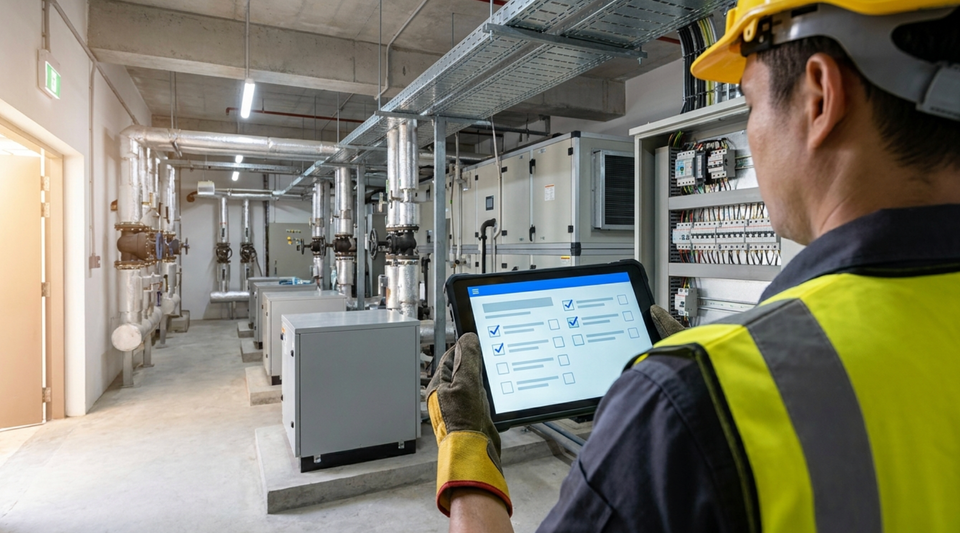

Tap an asset's NFC tag to open its checklist and history.
Scheduled inspections, with photos and timestamps.

Issues assigned to the right technician automatically.
Rectifications tracked until they're checked and closed.
Maintenance records approved and filed as PDF reports.

Connect IoT sensors, so an alert can start the right workflow.


Start with one form.
Built for teams that need a proper permit-to-work process, without the cost and complexity of enterprise systems.
Step 1
Send us your form, or pick a template.
Share the paper, Word or PDF form you use today, or choose one from our template library.
Step 2
We set up the workflow.
Our team configures the steps, approvals and reports for your site.
Step 3
Invite your team and contractors.
Send a WhatsApp or email invitation link, and they're ready to go.
Add new workflows whenever you need them.
Request a demoPricing
Pricing is based on your workspace, the workflows you use and your monthly submissions.
Starter
Was S$99now S$79 per month- Limited time
- Extra 20% off annually
- 1 workspace
- 1 workflow
- Up to 5 user licences
- 50 submissions per month
Standard
Was S$200now S$119 per month- Limited time
- Extra 20% off annually
- 1 workspace
- 3 workflows
- Up to 10 user licences
- 200 submissions per month
Professional
Was S$999now S$499 per month- Limited time
- Extra 20% off annually
- 1 workspace
- 5 workflows
- Up to 20 user licences
- 500 submissions per month
User licences are for the people in your team who set up, manage and approve workflows. Contractors and external submitters don't need a user licence.
Prices in Singapore dollars.
Add-ons
| Add-on | Price |
|---|---|
| Additional workflows | S$30–S$200 per month, depending on complexity |
| Additional user licences (blocks of 5) | S$40 per month |
| Additional submissions (per 100) | S$80 per month |
| Access control integration | From S$5,000 |
| IoT integration | Request a quote |
| AI camera system | Request a quote |
Frequently asked questions
Can we keep the forms we already use?
Yes. Send us the form you use today, on paper or in Word or PDF, and we'll set it up as a digital workflow that follows your current process. You can also start from our template library.
Do contractors and vendors need a user licence?
No. Contractors and external submitters don't need a user licence. Pricing is based on your workspace, the workflows you use and your monthly submissions.
How do contractors get started?
You invite them with a WhatsApp or email link. They fill in their forms and declarations on their phone.
Who sets up the workflows?
Our team configures a workflow for each of your forms. Then you invite your team and contractors.
Does it handle electrical works with an LEW?
Yes. A dedicated permit flow covers the LEW steps, Form CS/3, the Certificate of Compliance and energisation approval. Allocate Work supports the workflow and audit trail. It does not replace the professional responsibility of the licensed person.
What records do we get?
Permits, letters and reports are generated from the form details as PDFs, and every submission, signature and approval is kept in one audit trail.
Can it connect to our access control system, sensors or cameras?
Yes, as add-ons. Access control integration starts from S$5,000. IoT integration and AI camera systems are quoted for each project.
Can we start small?
Yes. Start with a free 30-day trial, then the Starter plan, and add workflows, user licences and submissions as you need them.
Still have a question?
Register interestRequest a demo or register your interest
Tell us a little about your site and what you'd like to digitise. Our team will get in touch.
Thanks, we've got your details.
Our team will be in touch.
Demo mode: this response was not sent. Set APPS_SCRIPT_URL in src/config.